
Building complex software that scales, stays secure and actually meets business needs is rarely about a brilliant idea alone. It depends on a disciplined process and the right people implementing it. This article explains how to use the 4 phases of the system development lifecycle in a practical, business-focused way, and why working with a dedicated development team poland can strengthen every phase.
From Vision to Release: Applying the System Development Lifecycle in Real Projects
The system development lifecycle (SDLC) is much more than a textbook concept. When applied well, it becomes a strategic framework that connects business goals with technical execution, reduces risk, and improves software quality. When applied poorly—or skipped altogether—it leads to blown budgets, missed deadlines, and systems that users quietly abandon.
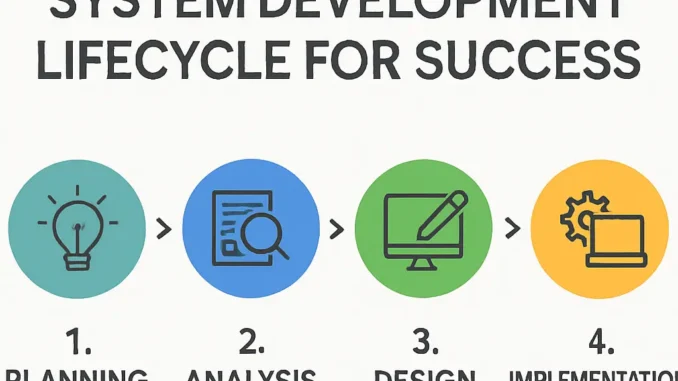
To move beyond theory, it is useful to look at the SDLC as a chain of decisions and feedback loops that begins with understanding the problem and ends with a stable, evolving solution. The commonly referenced four broad phases—planning/analysis, design, implementation, and testing/deployment—form a coherent narrative for how value is created in software projects.
Below, we examine each phase in depth, explore the often hidden challenges, and show how aligning your organization, processes and people around this lifecycle leads to better outcomes.
1. Planning and Analysis: Turning Business Problems into Concrete Requirements
The first phase sets the stage for everything that follows. A weak start here cannot be compensated later with good coding or fancy technology. Planning and analysis drive clarity on what should be built, why, and under which constraints.
a) Clarifying business objectives and constraints
Before talking about features or tech stacks, the organization must define the problem in business terms:
- What specific business process or opportunity are we addressing?
- Which metrics should improve (revenue, efficiency, error rate, compliance, customer satisfaction)?
- What are the timelines, budget limits, and regulatory boundaries?
It is vital to capture these as measurable goals. For example, “reduce manual invoice processing time by 40% within a year” is more actionable than “automate invoicing.” Clear goals allow you to judge later if the system actually succeeded.
b) Stakeholder and user analysis
Software often disappoints because it solves the wrong person’s problem. Thorough stakeholder analysis ensures alignment:
- Primary users: people who will use the system every day.
- Secondary users: occasional users, managers, auditors, customers or partners.
- Sponsors and decision-makers: executives paying for and approving the project.
- Operational stakeholders: admins, support teams, security and compliance officers.
Interviews, workshops, process shadowing and surveys help reveal pain points, workarounds, and edge cases users currently face. This qualitative insight is as important as any formal requirement document.
c) Gathering and structuring requirements
Requirements must bridge the gap between business language and technical design. A robust set of requirements typically covers:
- Functional requirements: what the system should do (features, workflows, data handling).
- Non-functional requirements (NFRs): performance, availability, scalability, usability, security, compliance, maintainability.
- Integration requirements: data exchanges with existing systems, APIs, third-party services.
- Data requirements: entities, data volume expectations, retention rules, privacy needs.
Rather than treating requirements as a one-time contract, modern teams keep them as living artifacts that evolve with feedback and discovery. Still, they must be detailed enough to support design decisions and estimation.
d) Risk assessment and feasibility analysis
Even at an early stage, it is critical to identify potential project risks:
- Technical risks: unproven technologies, legacy integrations, performance uncertainties.
- Organizational risks: lack of stakeholder alignment, limited domain expertise, competing priorities.
- Regulatory risks: data residency, privacy laws, industry standards and audits.
- Resource risks: skills gaps, hiring delays, dependency on external vendors.
Each risk should have mitigation strategies—proof-of-concept spikes, phased rollouts, training plans, or additional specialist support.
e) The role of cross-functional collaboration in planning
Planning is strongest when it is cross-functional. Business analysts, domain experts, architects, developers, QA, security specialists and operations should all contribute. This avoids a situation in which decisions made in isolation during planning later prove infeasible or unsafe.
By the end of this phase, you should have:
- A shared understanding of the problem and success criteria.
- A prioritized list of requirements and user stories.
- An initial solution approach and high-level scope.
- A risk register and high-level project timeline or roadmap.
2. System Design: From Requirements to Architecture and User Experience
After planning and analysis, the project shifts into design. This phase transforms abstract requirements into concrete structures: architectures, data models, APIs, user interfaces and operational processes.
a) Architectural design and technology selection
Architectural decisions have long-term consequences. Deciding between monolith and microservices, on-premises versus cloud, or relational versus NoSQL databases is not purely technical; these choices affect scalability, operational complexity, hiring, and costs.
Key considerations include:
- Scalability patterns: Will the system face predictable or spiky load? Does it need horizontal scaling? Are there clear boundaries for splitting services?
- Reliability and failover: Redundancy strategies, backup and restore, disaster recovery plans, multi-region deployments.
- Security architecture: Authentication and authorization model, data encryption, network segmentation, logging and monitoring strategy.
- Integration architecture: APIs versus file-based exchange, messaging queues, event-driven patterns.
Architecture must reflect both current needs and realistic future growth, without over-engineering. “You aren’t gonna need it” (YAGNI) remains a valuable principle: design for extension, not speculation.
b) Data modeling and information architecture
Data outlives applications. Poor data design leads to rigid systems, reporting blind spots, and complicated migrations. During this phase, teams define:
- Core entities and their relationships.
- Reference and master data (customers, products, locations, etc.).
- Event and log data for analytics and observability.
- Data retention, archiving, and anonymization rules.
Good information architecture supports reporting and decision-making from day one, rather than treating analytics as an afterthought bolted on later.
c) User experience (UX) and interface design
UX is where users feel the impact of all previous decisions. Solid UX design is not just about aesthetics; it is about enabling people to complete their tasks efficiently, accurately, and with minimal cognitive load.
UX activities often include:
- User journey mapping: understanding the end-to-end flow users go through.
- Low-fidelity wireframes: quick sketches for feedback and iteration.
- High-fidelity prototypes: realistic interfaces tested with real users.
- Accessibility reviews: ensuring compliance with standards and inclusivity for different abilities.
Iterative feedback cycles with target users at this stage prevent costly redesigns during development or after launch.
d) Operational design: DevOps, monitoring, and support
Modern system design must consider how the solution will be run and supported in production. This includes:
- Continuous integration and continuous delivery (CI/CD) pipelines.
- Infrastructure-as-code for reproducible environments.
- Logging, metrics and alerting for observability.
- Runbooks and support workflows for incidents.
By treating operational aspects as first-class design concerns, teams reduce downtime, mean time to recovery, and overall maintenance cost.
e) Design validation and trade-offs
Every design embodies trade-offs. Documenting why certain choices were made—such as performance versus simplicity, or flexibility versus time-to-market—builds organizational memory and prevents repeated debates later. Design reviews with architects, senior engineers, security experts and key stakeholders help validate that the solution is fit for purpose.
By the end of the design phase, you should have:
- Documented architecture diagrams and rationale.
- Data models and integration contracts.
- UX prototypes and validated interaction flows.
- Operational playbooks and CI/CD strategy.
Building, Testing, and Deploying: Turning Designs into Reliable Software
With a solid plan and design in place, the project moves into implementation, testing and deployment. This is where the abstract becomes tangible—and where disciplined execution separates successful systems from fragile prototypes.
1. Implementation: Engineering Practices that Protect Quality and Velocity
Implementation is more than translating designs into code. It involves organizing teams, selecting practices, and enforcing standards that keep the codebase healthy over the system’s lifetime.
a) Structuring the development workflow
Whether using Scrum, Kanban, or another agile variant, the workflow should support:
- Small, incremental changes rather than massive, risky batches.
- Frequent integration of code to avoid long-lived, divergent branches.
- Regular demos and feedback loops with stakeholders.
- Transparent tracking of progress, impediments and technical debt.
Each user story or task should be linked to the requirements identified earlier, ensuring traceability between business needs and implemented features.
b) Coding standards and code review
Coding standards are not about enforcing style preferences; they are about consistency and maintainability. Agreed standards cover:
- Naming conventions, project structure and documentation norms.
- Error handling and logging patterns.
- Security practices (input validation, secrets management, secure defaults).
Mandatory code reviews help catch defects early, encourage knowledge sharing, and maintain alignment with architectural guidelines. They are also a prime venue for mentoring less experienced developers.
c) Automated testing and test strategy
Robust automated testing accelerates development by providing quick feedback and reducing fear of change. A comprehensive test strategy typically includes:
- Unit tests to validate individual functions or classes.
- Integration tests to verify communication between modules and external systems.
- End-to-end tests to simulate real user flows.
- Performance tests to ensure responsiveness and scalability under load.
- Security tests such as static analysis, dependency scanning and penetration tests.
Balancing test coverage with development speed is crucial. Blind pursuit of 100% coverage can stall progress, while insufficient testing leads to production instability.
d) Managing technical debt deliberately
Technical debt is inevitable in real projects. The danger arises when it is unacknowledged and unmanaged. Teams should:
- Explicitly log shortcuts or compromises as technical-debt items.
- Estimate their impact on maintainability, performance and security.
- Allocate capacity in each iteration to pay down the most harmful debt.
Viewed this way, technical debt becomes a strategic tool rather than a hidden liability.
2. Testing and Quality Assurance: Proving That the System Works as Intended
Testing is not a single phase tacked on at the end; it is an activity woven throughout development. Still, as the system nears completion, dedicated test cycles validate that the integrated solution actually fulfills its requirements in realistic scenarios.
a) Validation against business requirements
Test cases should trace back to the requirements and user stories defined during planning. This ensures that the testing effort is aligned with business goals rather than focusing only on technical correctness.
- Does the new system reduce manual steps and errors as expected?
- Do edge cases behave predictably?
- Are regulatory and compliance requirements demonstrably met?
Involving business stakeholders in user acceptance testing (UAT) helps confirm that the system truly solves the original problem.
b) Non-functional testing: performance, security and usability
Many systems fail not because they crash, but because they are slow, insecure, or frustrating to use. Non-functional testing addresses this:
- Performance and load testing identifies bottlenecks and capacity limits.
- Security testing uncovers vulnerabilities in authentication, authorization, data handling and configuration.
- Usability testing reveals friction points, confusing workflows and accessibility barriers.
Findings from these tests often feed back into small design and implementation adjustments, forming a loop that improves overall quality.
c) Test environments and data management
Robust testing depends on realistic, well-managed environments. Teams must:
- Provide separate staging environments that closely mirror production.
- Use anonymized or synthetic test data to comply with privacy rules.
- Automate environment provisioning to avoid “works on my machine” problems.
Stable testing infrastructure enables repeatable, reliable test results and smoother deployments.
3. Deployment and Transition to Operations: Delivering Value Safely
The deployment stage is where users finally interact with the system in their real context. A well-planned release strategy reduces risk and helps organizations adapt smoothly to change.
a) Release strategy and rollout planning
Choosing the right release strategy depends on system criticality, user base size and acceptable risk:
- Big bang: all users switch at once—high risk, but sometimes necessary (e.g., regulatory deadlines).
- Phased rollout: groups of users are migrated gradually, allowing learning and adjustment.
- Canary releases: new version is deployed to a small subset of users, then expanded as confidence grows.
- Blue-green deployments: two parallel environments allow near-instant rollback if issues arise.
Rollback plans, communication strategies and training materials should be in place before the first user sees the new system.
b) Change management and user adoption
Even a technically perfect system fails if users refuse to adopt it. Effective change management addresses:
- Clear communication of the benefits and reasons for the change.
- Training tailored to different user groups and roles.
- Support channels for early questions and issues (helpdesk, champions, knowledge base).
- Feedback mechanisms to capture improvement ideas after go-live.
Involving key user representatives early and often turns them into advocates rather than skeptics at launch.
Once deployed, the system enters its longest life stage: operation and evolution. Monitoring is crucial:
- Technical health indicators: latency, error rates, resource usage, throughput.
- Business metrics: transaction volume, conversion rates, task completion time, user satisfaction.
Incident response playbooks define how to react to outages or severe bugs, who is responsible, and how communication flows. Post-incident reviews highlight systemic improvements rather than blaming individuals.
Feedback from real-world usage feeds into the next iteration cycle, where planning, analysis and design are revisited. Thus, the lifecycle is not linear but continuous, driving ongoing refinement.
4. Leveraging External Expertise Across the Lifecycle
Many organizations find that their internal teams are strong in domain knowledge but stretched thin in specialized technical skills or modern practices such as advanced DevOps, security engineering or UX research. Here, external partners can complement internal capabilities.
A dedicated team model allows an external group to become deeply integrated with your processes and culture while bringing their own mature practices in architecture, testing, and automation. This is particularly useful when:
- You need to accelerate delivery without sacrificing quality.
- You are modernizing legacy systems and require rare expertise.
- You want to adopt new technologies or architectures with lower risk.
By aligning such a team with the SDLC phases—engaging them early in planning and design, not just coding—you get greater strategic value and a more coherent system overall.
Conclusion
Successful software systems do not emerge from ad-hoc coding; they result from a disciplined application of the system development lifecycle. Clear planning and analysis, thoughtful design, rigorous implementation, and controlled testing and deployment work together to align technology with business goals. When these phases are supported by skilled, well-coordinated teams, organizations gain systems that are robust, adaptable and genuinely useful over time.